Find the right emission factors for my data
After reading this guide, you will be able to:
- Identify the key criteria for selecting the right emission factor for your activity and reporting context
- Search and compare factors using the Data Explorer, Mapping Agent, and Search API
- Understand which tool or access mode fits your workflow - from manual browsing to bulk AI matching to programmatic queries
- Follow a step-by-step process from defining your activity through to validating your final factor selection
What makes a factor the right fit?
Emission factors are not one-size-fits-all. Two factors covering the same activity - say, electricity consumption - can produce very different results depending on the region, year, and methodology used. Choosing the most representative factor for your context leads to more accurate, defensible reporting.
When evaluating a factor, the key things to check are:
- Region - factors vary significantly by country and sub-region. A UK electricity factor will differ substantially from a US or Australian one
- Year - factors are updated as energy mixes, supply chains, and methodologies evolve. Match the factor to your reporting year where possible
- System boundary - does the factor cover direct emissions only, or does it include upstream activity (well-to-wheel, cradle-to-gate)? Check this aligns with what your framework requires
- Methodology - some activities have multiple valid approaches (for example, location-based vs market-based for Scope 2 electricity). Use the one required by your reporting standard
- Data source - different datasets (BEIS, EPA, IEA, IPCC) have different coverage and update cadence. Prefer well-maintained, officially-recognized sources for your sector and region
Finding factors without code
Keyword search
The Data Explorer is the fastest way to browse Climatiq’s emission factor database. No account or code required - search by keyword, filter by region, sector, and year, and review factor metadata including the source, methodology, unit, and data quality before selecting.
Start here if you are:
- Exploring what factors are available for an activity
- Comparing a few candidates before committing to one
- Building a factor library for an annual reporting cycle
- Searching factors for a small number of activities, but not larger sets, for example from procurement data
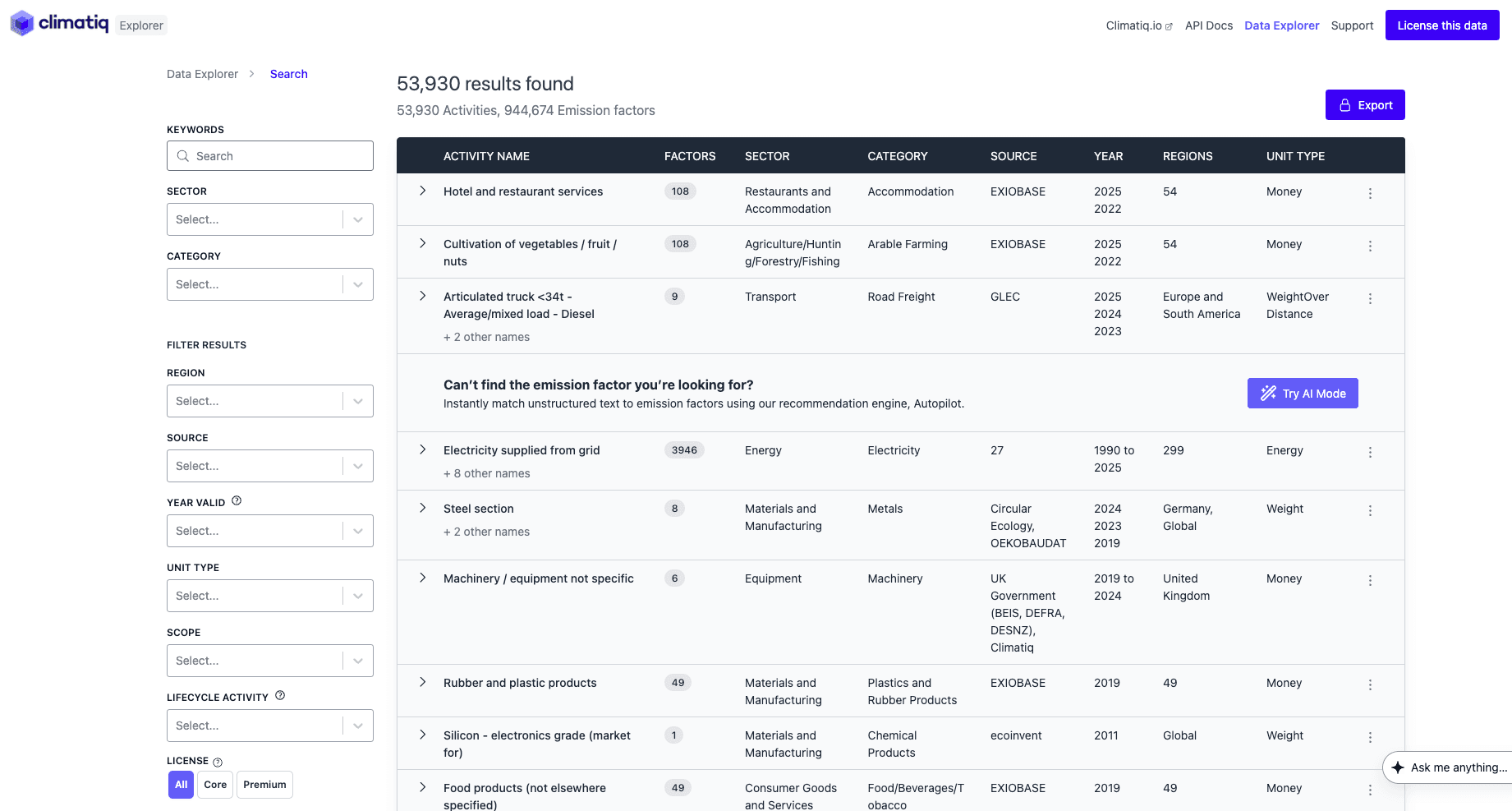
The Data Explorer - search and filter Climatiq’s full emission factor database by keyword, sector, region, source, and year.
AI-powered matching with Mapping Agent
If your data consists of free-text descriptions - invoice lines, spend categories, product names - Mapping Agent can match each one to the most appropriate emission factor automatically. Submit a description and receive a matched factor with a confidence score. No manual lookup required.
Mapping Agent is available across multiple access modes depending on your workflow:
- Try AI - enter descriptions directly in the Data Explorer and review matched factors interactively. Best for exploring and testing before committing to a factor
- Data Studio - upload a CSV or spreadsheet and map activity descriptions to emission factors in bulk. Best for large datasets without writing code. See the Calculate footprints from CSVs guide for a full walkthrough
- Excel Add-in / Google Sheets Extension - use the Mapping Agent formula directly in your spreadsheet to match activity data to factors without leaving your workflow. See the Use Climatiq in Excel or Google Sheets guide for a full walkthrough
- API - pass descriptions programmatically and receive matched factors with confidence metadata. See the Mapping Agent API reference or the Mapping Agent integration guide
Start here if you are:
- Working with unstructured or inconsistently labeled activity data
- Processing a large number of varied activity descriptions
- Looking to reduce the time spent on manual factor selection
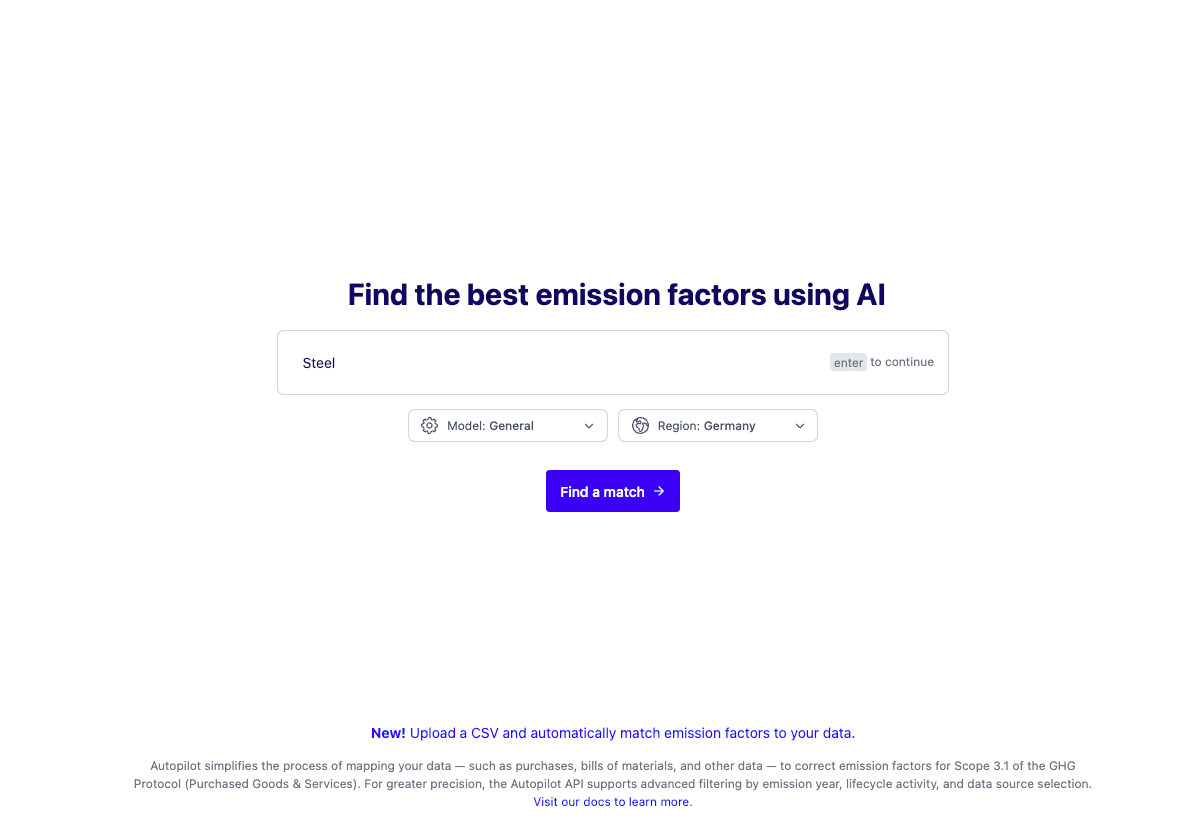
Mapping Agent - enter a plain-language description and receive ranked emission factor matches with source and metadata.
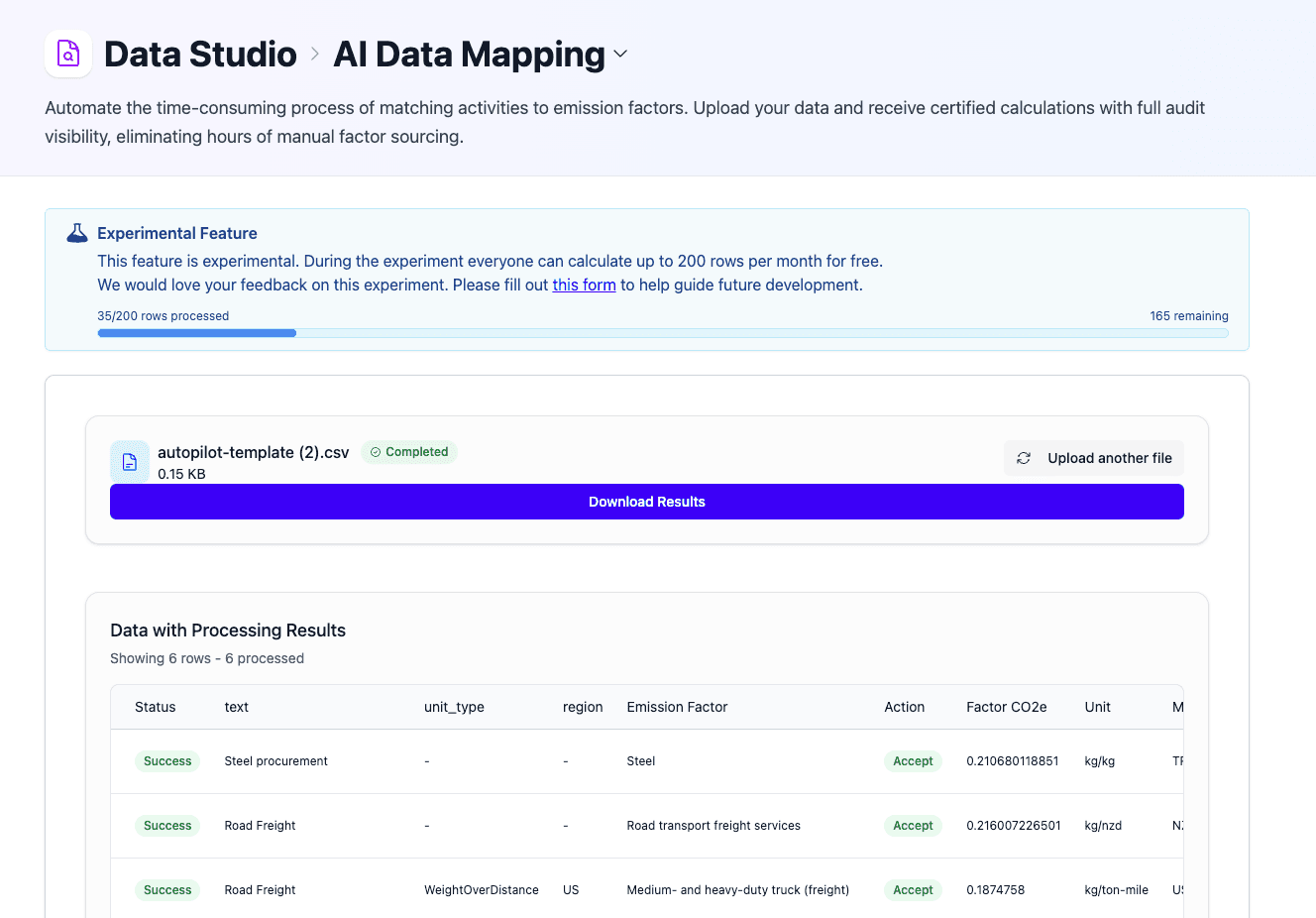
Data Studio’s AI Data Mapping - upload your activity data and receive matched emission factors and CO2e results in bulk.
Finding factors via the API
For programmatic factor access without the Mapping Agent’s AI matching, the Search endpoint lets you query the database directly by activity, region, year, source dataset, and more. This is useful for:
- Building factor-selection interfaces within your own application
- Validating which factors are available before making estimate calls
- Pulling factors into a local cache for repeated use
See the Search API reference for request parameters and response fields.
Your journey
Define your activity and reporting context
Identify what you are measuring - energy, transport, purchased goods, materials, or spend - and which reporting framework applies. This tells you which factor category to search in and which methodology to prioritize.
Search and compare available factors
Choose the tool that fits your workflow:
- Data Explorer - browse and filter factors visually by activity, region, year, and source. Best for manual keyword search and comparison
- Mapping Agent - enter a plain-language description and receive ranked factor matches automatically. Available via Try AI, Data Studio, Excel/Google Sheets, or the API. Best for unstructured or varied activity data
- Search API - query factors programmatically by activity, region, and source. Best for developers building factor selection into applications or pulling factors into a local cache
Whichever tool you use, review the source, region, year, and system boundary for each candidate before selecting.
Evaluate the best fit
Check region, time period, and system boundary against your context. Prefer factors from well-maintained datasets with clear methodology documentation. Review data quality indicators for any flags or limitations.
Sense-check the result
Run a quick plausibility check - compute a small example and compare to known benchmarks or alternative sources. Large differences between candidate factors usually point to a mismatch in region, boundary, or unit, and are worth investigating before finalizing your selection.
Supporting resources
An introduction to emission factors - what they are, how they are derived, and how they convert activity data into CO2e.
How Climatiq surfaces data quality information and what to look for when selecting factors for regulatory reporting.
Browse and search Climatiq’s full emission factor database visually - no account or code required.
End-to-end guide to uploading activity data and matching factors in bulk using Data Studio or Excel and Google Sheets.