As scope 3 reporting requirements tighten, customers increasingly look for product-level transparency from their suppliers, meaning manufacturers are under growing pressure to produce product carbon footprints (PCFs). It’s a symptom of an industry shift away from organizational-level insights to more granular product-level measurements that actually help companies take action on their scope 3 targets.
The problem is that PCF measurement is notoriously complex and expensive. The tools on the market tend to be costly, time-intensive, or require specialist LCA knowledge that most teams simply don't have. For companies starting out, that barrier is significant.
There’s also some good news: new free tools are emerging that can help you start to deliver PCFs to your customers and prospects . Below we've summarized five of them, comparing ease of use, data requirements, and complexity, so you can find a tool that meets your needs and skills without breaking the bank.
Quick comparison
Table comparing five free product carbon footprint tools based on various criteria such as complexity and data requirements
1. Climatiq PCF Studio
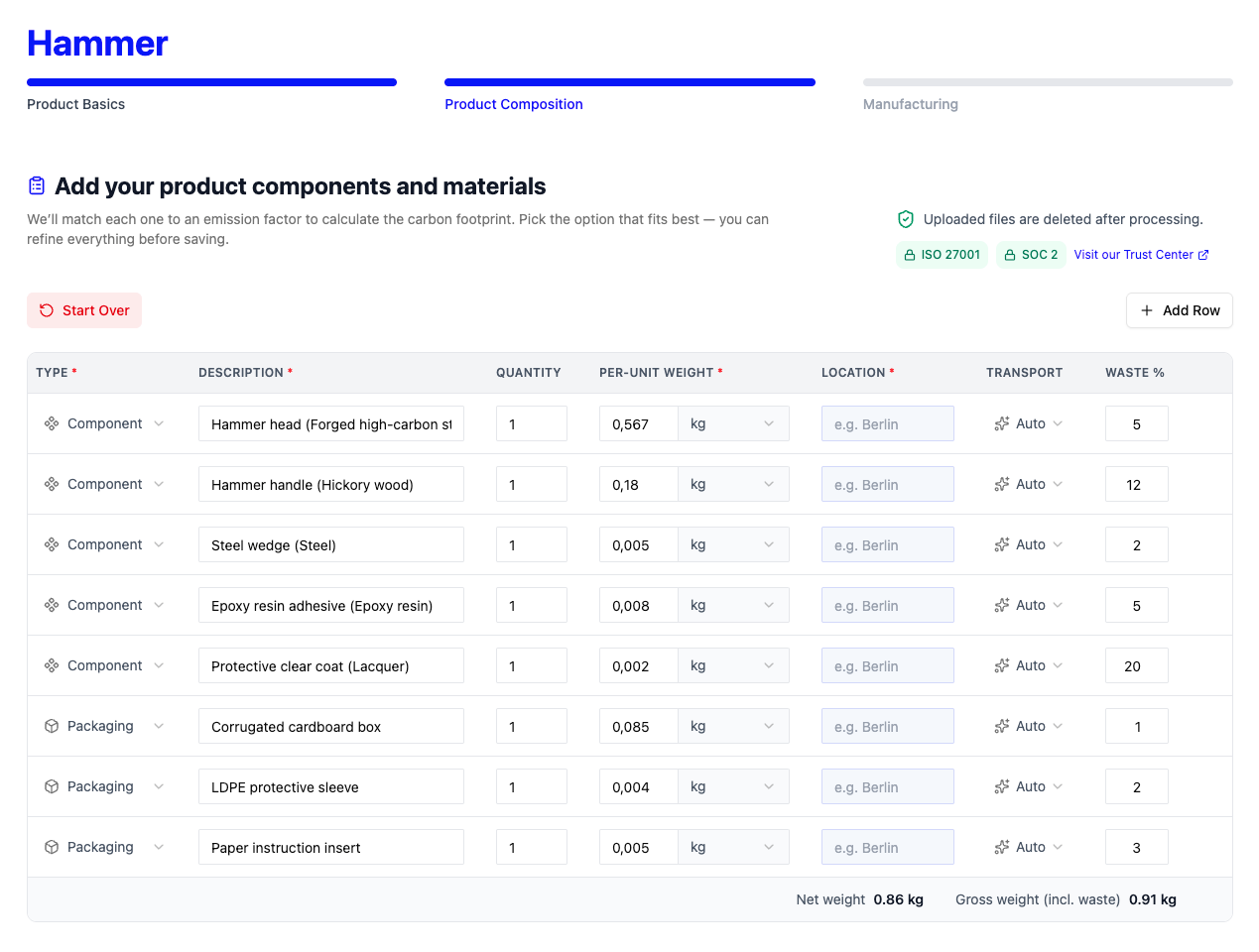
Climatiq PCF Studio is a purpose-built product carbon footprint tool designed to be accessible to manufacturers without LCA expertise. The first 10,000 calculations are free, making it a strong starting point for companies assessing multiple products.
Cost: Free for up to five PCFs
LCA boundary: Cradle-to-gate (cradle-to-grave functionality in development)
Verification: ISO 14067 verified
Ease of use: Designed for non-experts. AI-assisted data parsing and automated inputs significantly reduce manual workload. No prior LCA training needed. Finished PCFs can be achieved within minutes.
Data requirements: Works with incomplete data to fill gaps when data is missing, alleviating the data sourcing problem which is a blocker for many companies. PCF Studio doesn't require full supply chain visibility to get started unlike other tools listed here.
Customization: Human-in-the-loop approach allows full customization of inputs while AI does heavy lifting, e.g. for emission factor mapping. Users can upload primary data or use automated inputs as needed.
Emission factor database: Uses the largest verified databases of emission factors available, containing 1,000,000+ scientifically-vetted factors.
Best for: Manufacturers who need to respond to PCF requests in RFPs or customer questionnaires quickly, and want to scale PCFs without needing in-house LCA expertise.
2. The 2030 Calculator
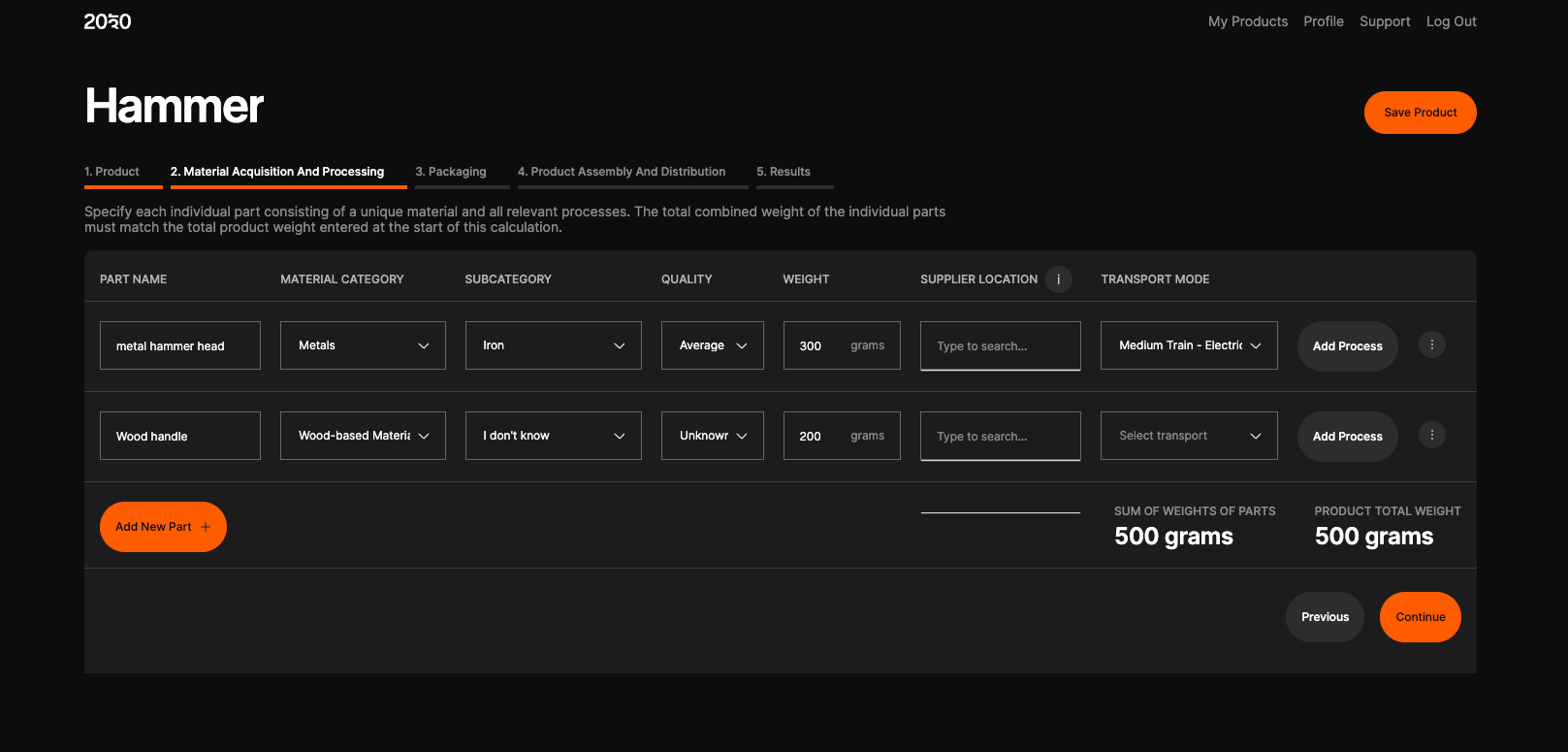
The 2030 Calculator is a free, browser-based PCF tool aimed at small businesses and those new to product carbon footprinting. It provides a straightforward interface for calculating cradle-to-gate emissions.
Cost: Free
LCA boundary: Cradle-to-gate
Verification: ISO 14067 aligned (not verified)
Ease of use: Accessible and intuitive, no expert guidance required. A reasonable starting point for businesses new to PCF.
Data requirements: Requires complete data. Each component must be entered individually with material weight, supplier location, and other specifics. There is no accommodation for data gaps.
Customization: Limited. The tool is designed for simplicity, which comes at the cost of depth and flexibility.
Best for: Small businesses taking their first steps in product carbon footprinting, with straightforward products and complete supply chain data to hand.
Drawbacks: Manual data entry for every component can be time-consuming. Its limited depth may not satisfy reporting requirements.
3. openLCA
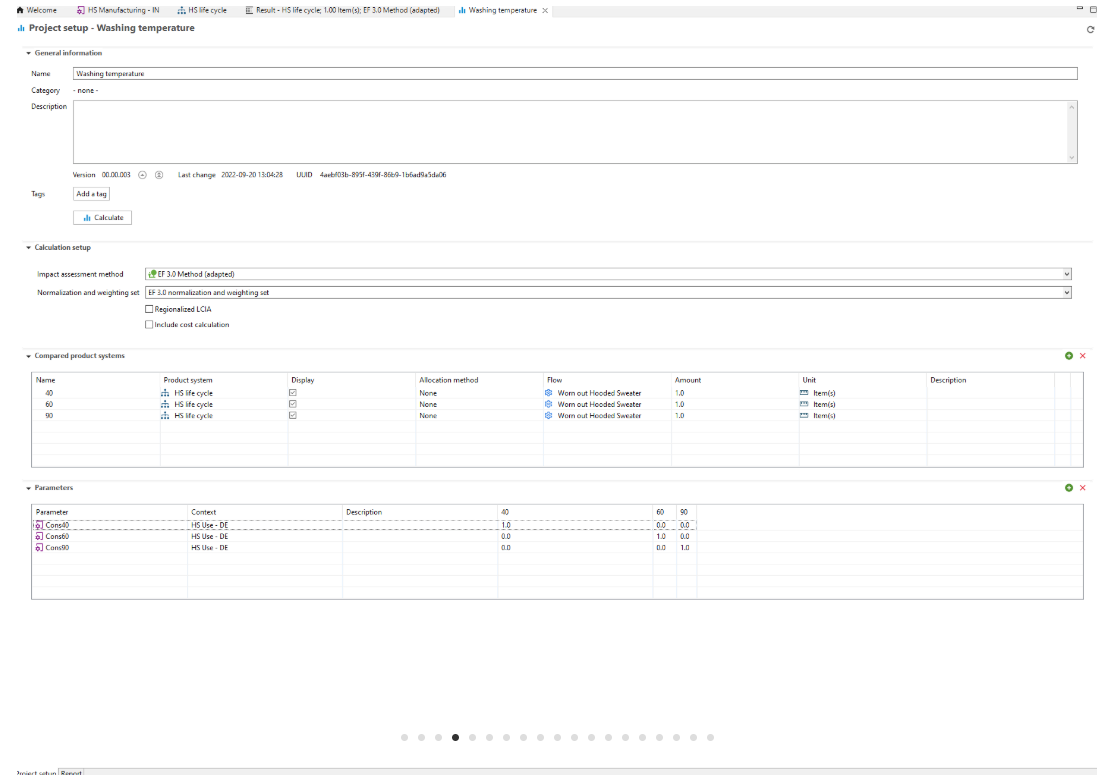
openLCA is a free, open-source LCA software platform that has been widely adopted by universities, research institutes, and consultancies. It is highly flexible and supports a wide range of LCA methodologies and datasets.
Cost: Free and open source
LCA boundary: Fully configurable, supports any boundary from cradle-to-gate to cradle-to-grave
Verification: Depends on the datasets and methodology applied. No built-in verification pathway.
Ease of use: Not beginner-friendly. Requires solid prior knowledge of LCA methodology and manual configuration of models. Expect a steep learning curve.
Data requirements: Requires complete, well-structured data. The tool's power comes from its flexibility, but that flexibility demands a user who knows exactly what inputs are needed and why.
Customization: Extensive. Users can build fully customized LCA models and connect third-party datasets.
Best for: Environmental consultants, LCA practitioners, university researchers, or companies with in-house expertise looking for a powerful, adaptable open-source solution.
Drawbacks: Very complex; without LCA expertise, users are unlikely to produce reliable results.
4. One Click LCA Planetary
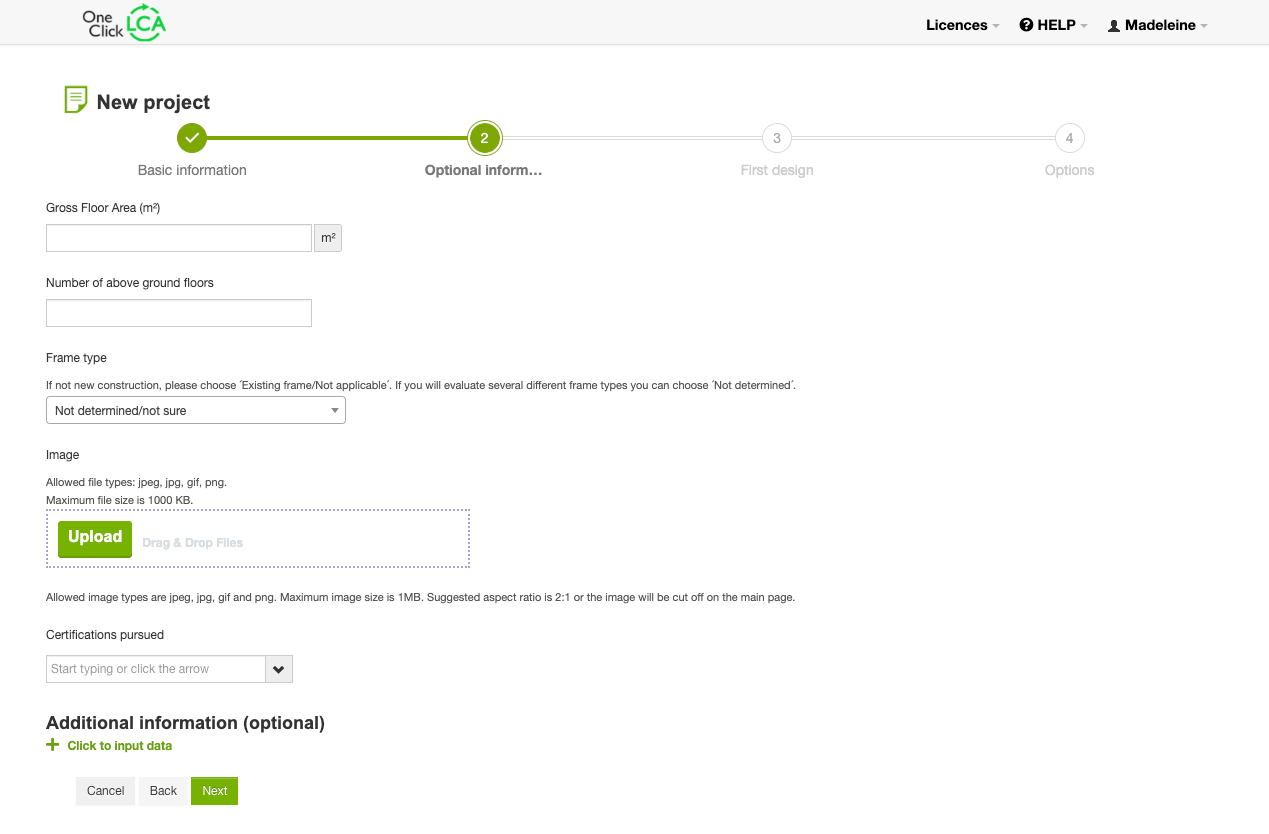
One Click LCA Planetary is the free tier of One Click LCA, an LCA and Environmental Product Declaration (EPD) platform widely used in the construction and real estate sectors. The free tier supports full LCA calculations and EPD generation.
Cost: Free (Planetary tier)
LCA boundary: Cradle-to-grave
Verification: Outputs are suitable for third-party verification and publication.
Ease of use: Complex and designed for expert users. The interface and terminology assume familiarity with LCA and EPD processes.
Data requirements: Requires complete data.
Customization: Detailed outputs with significant flexibility.
Best for: Construction materials manufacturers and suppliers operating in sectors where EPDs are required or expected, such as concrete, steel, glass, insulation, and similar.
Drawbacks: Focused on embodied carbon in construction. The complexity makes it inaccessible without expert guidance.
5. FootprintCALC
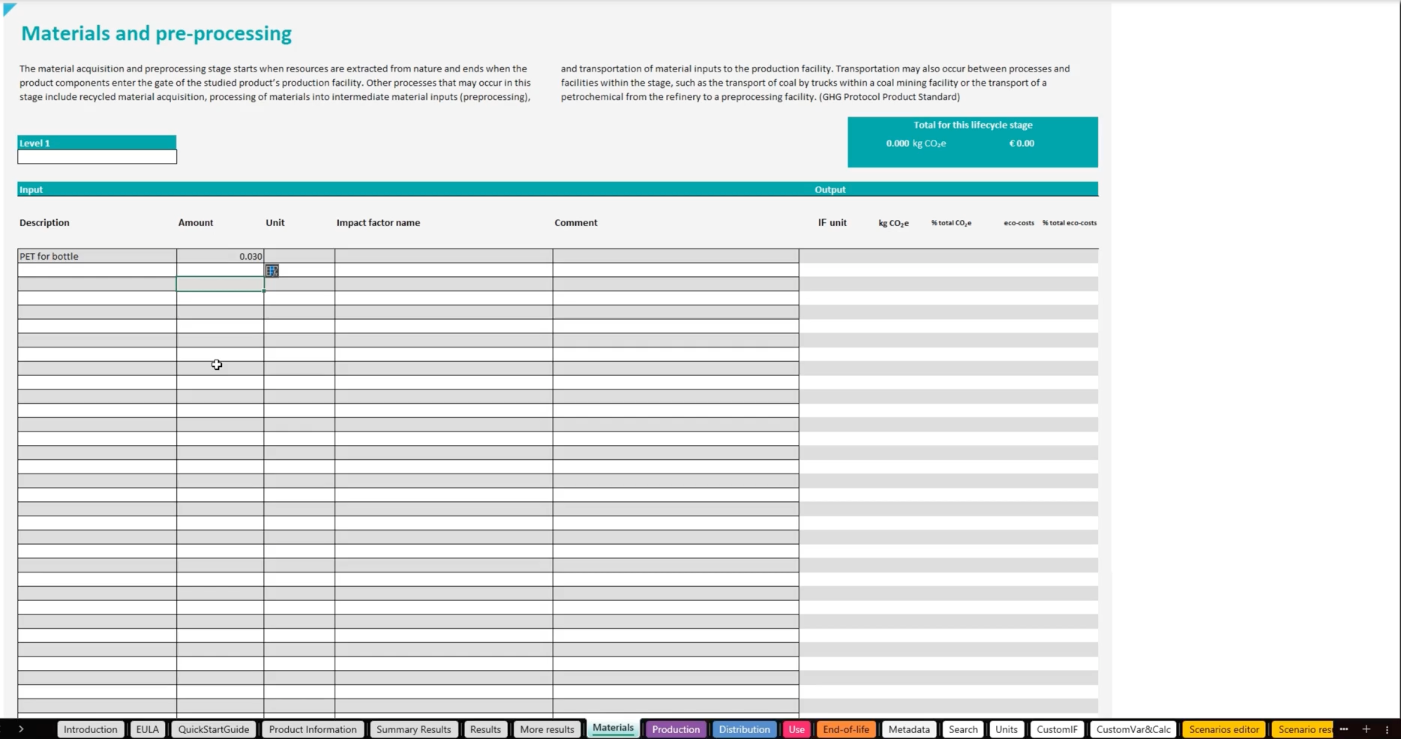
FootprintCALC is a free, Excel-based tool for product carbon footprinting, developed to support companies that want a spreadsheet-driven approach. It includes two embedded emission factor databases.
Cost: Free
LCA boundary: Cradle-to-grave
Verification: The tool's developers explicitly state that results are not appropriate for external communication to stakeholders without independent review for standards conformity.
Ease of use: Medium complexity. Requires a basic understanding of environmental impact analysis to correctly interpret which data needs to be input and how results should be read. The Excel-native approach will suit some users and feel clunky to others.
Data requirements: Requires complete data. Manual input processes throughout.
Customization: Two embedded databases are available, but they cannot be used together as the databases are not normalized and are therefore incompatible.
Best for: Users comfortable working in Excel who have a basic grasp of LCA concepts and need a quick, offline-capable calculation tool for internal purposes.
Drawbacks: The database incompatibility issue constrains usefulness. The explicit caveat on stakeholder communication limits how results can be used in customer or procurement contexts.
Which tool is right for you?
Which tool is right for you depends on where you are in your PCF journey, what you're using the results for, and how much expertise you have in-house.
No LCA expertise, need to respond to customer or RFP requests: Climatiq PCF Studio or The 2030 Calculator are the most accessible starting points. Climatiq's ability to work with incomplete data is a big practical advantage, and its ISO verification is key for any external reporting use cases.
Research or consultancy with LCA expertise: openLCA offers the flexibility and rigor that expert users need.
Construction or building materials manufacturer: One Click LCA Planetary is purpose-built for your sector.
Comfortable with Excel, internal use only: FootprintCALC is a workable option, with the caveat that results will need external review before sharing.
Whichever tool you use, remember that the credibility of your PCF ultimately depends on the quality of your input data and the rigor of your methodology, not just the software. As PCF requirements in procurement and reporting frameworks continue to rise, investing in scalable, verifiable approaches early will save significant rework later.


.jpg)


.svg)


